This blog's focus will be on the Active Directory suite of technologies. These technologies provide the underpinning for the majority of Microsoft's suite of business-ready products. As such, this blog will touch on all aspects of Active Directory including Security, Group Policy, Kerberos, Authentication, Authorization, Operations, Migrations, and Troubleshooting.

Feel free to join me as I learn about this core set of technologies.

Monday, September 5, 2011

The Active Directory Structure - The Basics

In the two videos below, I discuss the basics of the directory structure within Active Directory, addressing concepts of uniqueness within a domain.  I explain the basic concepts related to Distinguished Names and Relative Distinguished Names, as well as showing how to use various tools to learn more about Active Directory objects and their attributes.

Part 1
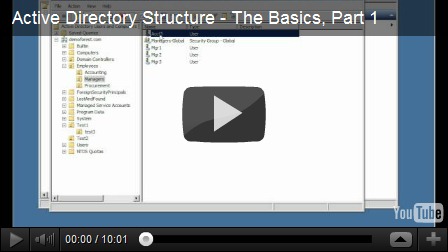
Part 2

Tools used in this video:

  1. Active Directory Users and Computers – the default tool provided for administrators working with AD objects
  2. ADSI Edit – a more in-depth editor for Active Directory objects.  It grants access to the different naming partitions within AD, including the Domain Naming, Configuration and Schema partitions, as well as RootDSE

To learn more about these tools, see the following articles:

In the next series, I’ll begin to show some of the command-line utilities used to administer Active Directory. 

Until then…

Saturday, September 3, 2011

"Protect Object from Accidental Deletion” in Active Directory

This video shows a new feature of AD DS for Windows 2008.  In the past, accidentally moving or deleting objects in AD resulted in significant work to recover the directory to its original state.  Now, a feature has been added to limit these mistakes.  This video discusses this feature, and shows the scenarios when this feature is enabled and disabled.

Wednesday, August 17, 2011

Installing Windows 2008 R2 Active Directory Domain Services - Part 4 (Read Only Domain Controllers)

In this video, I show how to install a Read-Only Domain Controller (RODC), and I discuss some of the advantages to using an RODC.

Tools used in this video:

  1. DCPromo – This command-line tool is used to add/remove Active Directory Domain Services on a specified Windows Server

How to Activate a Windows Product License Key on Windows 2008 R2 Server Core

In a previous demonstration I promised to show how to activate your Windows Product License Key on a Windows Server Core machine.  I forgot to do that, so I’ve created this brief video to do so.

Essentially, you do everything through a Visual Basic Script called the Windows Software Licensing Management Tool (slmgr.vbs).

For a complete description of the available switches when working with slmgr.vbs, you can check out the following TechNet article:

Slmgr.vbs Options

Sorry about neglecting this in the previous video.  Hopefully now everyone is caught up.

Until next time…

Friday, August 12, 2011

Installing Windows 2008 R2 Active Directory Domain Services - Part 3 (Server Core)

In this demo, I show how to use an unattend.txt file to promote a Windows 2008 Server Core machine to be a domain controller.
Tools used in this video:
  1. DCPromo – This command-line tool is used to add/remove Active Directory Domain Services on a specified Windows Server
Reference Material Used in Creating this Blog:
In the final part of this series I’ll show how to configure a DC as a Read-Only Domain Controller (RODC).
Until then…

Windows 2008 Server Core–Initial Configuration

In this video, I show the basic steps necessary to set up a Windows Server Core machine so that it can communicate on the network and join an Active Directory domain.

In this video, I show how to use NETSH and NETDOM to configure TCP/IP settings, rename the computer and join an existing domain.

Tools used in this video:

  1. NETSH – This is a multi-purpose command-line tool that is useful for performing many different tasks within a Windows Server environment.  In the present video, I show how to use this tool to configure TCP/IP and DNS settings on a selected network interface.
  2. NETDOM – This tool allows the administrator to work with Active Directory domains as well as trust relationships from the command line.

Reference Material Used in Creating this Blog:

Sunday, August 7, 2011

Installing Windows 2008 R2 Active Directory Domain Services - Part 2

In this demonstration, I show how to add a second domain controller to an existing forest.  Additionally, I demonstrate how to work through a particular problem related to DNS that the 2nd DC encounters when trying to find the AD DS domain.

Tools used in this video:

  1. DCPromo – This command-line tool is used to add/remove Active Directory Domain Services on a specified Windows Server

In the third part of this series, I’ll show you how to install AD DS onto a Windows Server running Windows Server Core.  Until then…